
Ori and the Blind Forest Charge Jump: Controls & Tips
Master Ori and the Blind Forest charge jump with ground and wall controls, Sorrow's Pass unlock tips, and practical fixes for jumps that refuse to work.
Jump to

How to Use Charge Jump on the Ground
That ledge above Ori is finally within reach. Ori and the Blind Forest charge jump launches you much higher than Double Jump, giving you another way through tall passages and spike-lined gaps. The key to Ori and the Blind Forest charge jump is your starting position: the ground sends you upward, while a wall lets you aim.
With Xbox-style controller controls, hold the left trigger to charge, then press A to launch. Start on a safe stretch of ground so you can practice the input without dodging enemies.
Charge Jump takes some preparation. Give the charge time to build before pressing Jump, and keep your attention on the space above Ori. The extra height helps you reach platforms, but it also means you need to check for overhead hazards.
| Starting position | Setup | Launch behavior |
|---|---|---|
| Ground | Hold the left trigger to charge, then press A | Ori launches upward |
| Wall | Hold on with Climb, charge, aim, then press Jump | Ori launches in the aimed direction |
You do not get a directional arrow when charging on the ground. That indicator belongs to the wall version of the move. Waiting for it while standing on a platform can make a working ability look broken.
Practice the ground launch before adding other movement skills:
- Stand beneath an open stretch of vertical space.
- Hold the charge input.
- Let the charge build, then press Jump.
- Watch where Ori travels before attempting a narrow landing.
On keyboard and mouse, use your assigned charge and jump inputs. Keep the same sequence: prepare the charge, then trigger the jump. Avoid pressing everything at once while learning the move; separating the actions makes it easier to spot an input mistake.
Official page: Ori and the Blind Forest (store.steampowered.com)
Where to Unlock Charge Jump in Sorrow's Pass
You unlock Ori and the Blind Forest charge jump at the Ancestral Tree in Sorrow's Pass, late in the game. This is a traversal skill obtained from a tree, rather than an upgrade purchased through the Ability Tree.

Reaching the tree involves using abilities you already have. Bash handles airborne movement and redirected objects, while Stomp operates parts of the route. The approach also includes gates, keystones, updrafts, and fire cannons.
Keep these interactions in mind as you work through the area:
| Obstacle or objective | Required interaction |
|---|---|
| Energy Gate on the described approach | Open it with four energy |
| Climb toward the upper route | Bash birds or falling rocks |
| Ceiling blocking a passage | Bash an enemy projectile into it |
| Spirit Gate | Collect and spend four Keystones |
| Movable balls and fire cannons | Bash balls into position to block the cannons |
| Ground covering an updraft | Break it with Stomp to release the wind |
Leave the green-projectile enemy alive when you need its shot to open the ceiling. Defeating it before redirecting a projectile removes the object you were about to use for the puzzle.
The ball puzzles need the same attention. Bash a ball into the updraft to move it upward, then keep repositioning it through the cannon section. Stomping a column can block a cannon and free a ball for another placement.
Treat each ball as part of the room's machinery. Check which cannon it needs to block before redirecting it again.
Definitive Edition shortcuts
In Definitive Edition, Light Burst adds options along this approach. You can light a torch with it and Bash your own thrown projectile to reach certain pickups.
Those options belong to the additional Definitive Edition abilities. Charge Jump itself is part of the base game. Keep that distinction in mind if a route description mentions a Light Burst maneuver you cannot perform.
When you reach the Ancestral Tree, interact with it to receive the skill. Simply arriving beside the tree is not the same as acquiring its ability. Afterward, pause as you ascend the shaft above it: the wall-use instructions appear along that stretch and are easy to pass while moving.
How to Aim Charge Jump From a Wall
Wall launches give Ori and the Blind Forest charge jump directional control. Instead of firing straight upward from the floor, Ori can push away from a wall toward the opening you choose.

The setup depends on Climb. Wall Jump lets you bounce against surfaces, but Climb lets Ori hold position while you prepare the launch.
With the controller controls described here, hold the right trigger against a wall to use Climb. Then charge with the left trigger, aim away from the surface, and press Jump.
Follow this sequence:
- Reach a wall with enough clear space around your intended launch.
- Hold the Climb input so Ori stays attached.
- Charge the jump while maintaining that grip.
- Aim toward your destination.
- Press Jump to launch.
Keep holding position until you have checked the route. A narrow opening can demand a different direction from the one you would choose for a tall, open shaft.
Keyboard wall controls
With the keyboard controls discussed here, Shift holds Ori against the wall. Use the A/D directional inputs during the wall setup rather than expecting W alone to handle it.
If Ori keeps sliding or bouncing away, practice holding the wall before charging anything. Once you can remain in place, add the charge and launch inputs.
The directional arrow is useful here because it distinguishes the aimed wall move from the vertical ground move. If you are expecting an aimed launch, check that Ori is attached to the wall.
Practice on a clear surface before attempting a spike-lined passage. Hold position, inspect the destination, and launch only after choosing a path with room for Ori.
Combine Charge Jump With Your Other Skills
Ori and the Blind Forest charge jump adds height and aimed launches to a movement kit that already includes midair jumps, Bash, and Kuro's Feather. Each ability handles a different part of a route.

| Ability | Activation described here | Movement or combat function |
|---|---|---|
| Charge Jump | Left trigger to charge, then A | Powerful upward or aimed wall launch; damages enemies on contact |
| Double Jump | Press A while airborne | Adds another jump in midair |
| Bash | Press Y near an eligible target | Launches Ori and redirects the target in the opposite direction |
| Kuro's Feather | Hold the right trigger while airborne | Slows descent and allows Ori to ride updrafts |
| Stomp | Press down while airborne | Sends Ori downward to strike enemies or interact with obstacles |
Charge Jump also damages enemies you hit during the launch. An airborne enemy can therefore become both a target and part of a movement sequence.
For example, launch toward an enemy, use Bash when you reach it, then follow with Stomp if the ground below is clear. Inspect the landing area before adding that final downward attack.
For exploration, separate the launch from the landing. Use Charge Jump to gain height, then deploy Kuro's Feather when you need a slower descent. Aim your wall launch toward usable space rather than focusing only on maximum distance.
Bash still matters after you gain Charge Jump. It works with enemies, projectiles, and other eligible objects, so it continues to handle puzzles that require redirecting something. A stronger jump does not replace those interactions.
In Definitive Edition, Dash and Light Burst add further movement options. Dash sends Ori forward, while Light Burst produces a projectile you can Bash. Keep the distinction between these abilities clear when planning a route: Charge Jump supplies the launch, while the other skills handle their own movement or puzzle functions.
Revisit previously awkward routes with that full kit in mind. Look for tall ledges, suitable walls, and airborne Bash targets before committing to a jump.
Fix Charge Jump Problems Before Changing Your Setup
If Ori and the Blind Forest charge jump seems unresponsive, begin by checking whether you actually acquired it. A charging animation alone can be misleading.
That matters especially after returning from a long break. Remembering the location, seeing an animation, or knowing the controls does not mean the Ancestral Tree interaction is complete.
| Problem | What to check |
|---|---|
| Ori appears to charge but cannot perform the move | Confirm that you acquired Charge Jump from its Ancestral Tree |
| No aiming arrow appears on the ground | Use the ground launch normally; aiming appears on a wall |
| Ori will not stay against the wall | Hold Climb before preparing the jump |
| Keyboard wall inputs seem ineffective | Check the wall grip and A/D directional inputs |
| The wall launch is confusing | Practice the grip, charge, aim, and jump sequence separately |
Check the unlock before troubleshooting hardware
Verify the skill acquisition before investigating keyboard ghosting or changing devices. The charging animation can distract you from the simpler issue of an ability you have not collected yet.
If you still need Charge Jump, continue to its tree in Sorrow's Pass and interact with it. Then practice the move nearby.
Separate ground behavior from wall behavior
A ground launch goes upward. A wall launch lets you aim. Test those versions separately so you are not looking for a wall-only indicator while standing on the floor.
Start with the ground input in open space. After that works, move to a wall and add Climb.
Slow down during the wall setup
Avoid combining wall jumps, charging, and directional changes before Ori is securely attached. Establish the grip, choose the direction, then launch.
Also stop briefly in the shaft above the Ancestral Tree to read the wall instructions when they appear. Moving straight through that section can leave you attempting the move without noticing its setup.
FAQ
Where do you get Ori and the Blind Forest charge jump?
Charge Jump comes from the Ancestral Tree in Sorrow's Pass, late in the game. Interact with the tree to acquire the ability before attempting its ground or wall launches.
What buttons activate Charge Jump on a controller?
Hold the left trigger to charge, then press A to launch. For an aimed wall launch, hold the wall with Climb, prepare the charge, choose your direction, and press Jump.
Why is there no arrow when I charge on the ground?
The aiming arrow appears during the wall version of Charge Jump. A ground launch sends Ori upward, so the absence of an arrow there is normal.
Is Charge Jump exclusive to Definitive Edition?
No. Ori and the Blind Forest charge jump is a base-game skill. Dash and Light Burst are the additional Definitive Edition abilities; Light Burst can also provide extra traversal options through projectiles you can Bash.
Continue with
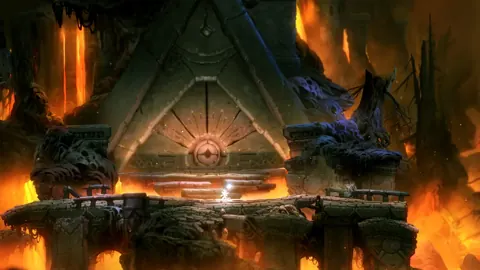 Ori and the Blind Forest Double Jump: Location & TipsFind the Ori and the Blind Forest double jump in Gumo's Hideout, unlock Leru's skill, and learn how to clear spikes, reach ledges, and escape Moon Grotto.
More in Skills
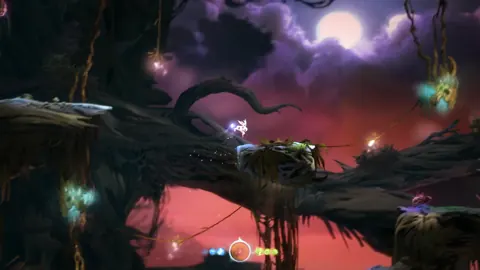
Ori and the Blind Forest Abilities: Unlocks & Builds
Master Ori and the Blind Forest abilities with skill unlock locations, practical combat tips, and ability point priorities for easier exploration of Nibel.
Ori and the Blind Forest Bash: Unlock and Use Guide
Master Ori and the Blind Forest bash with tips on its Ginso Tree unlock, controller input, projectile redirects, and lantern chains. Learn to aim well.
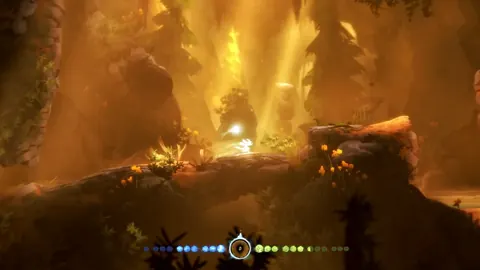
Ori and the Blind Forest Best Ability Tree: Upgrade Guide
Ori and the Blind Forest best ability tree guide: choose early upgrades, improve Soul Links, and prioritize movement, combat, or collectibles on your run.

Ori and the Blind Forest Charge Flame: Unlock & Use
Master Ori and the Blind Forest charge flame: find its unlock location, learn the controls, break barriers, and fix energy problems to keep moving ahead.
Join the community
Game links and player communities: